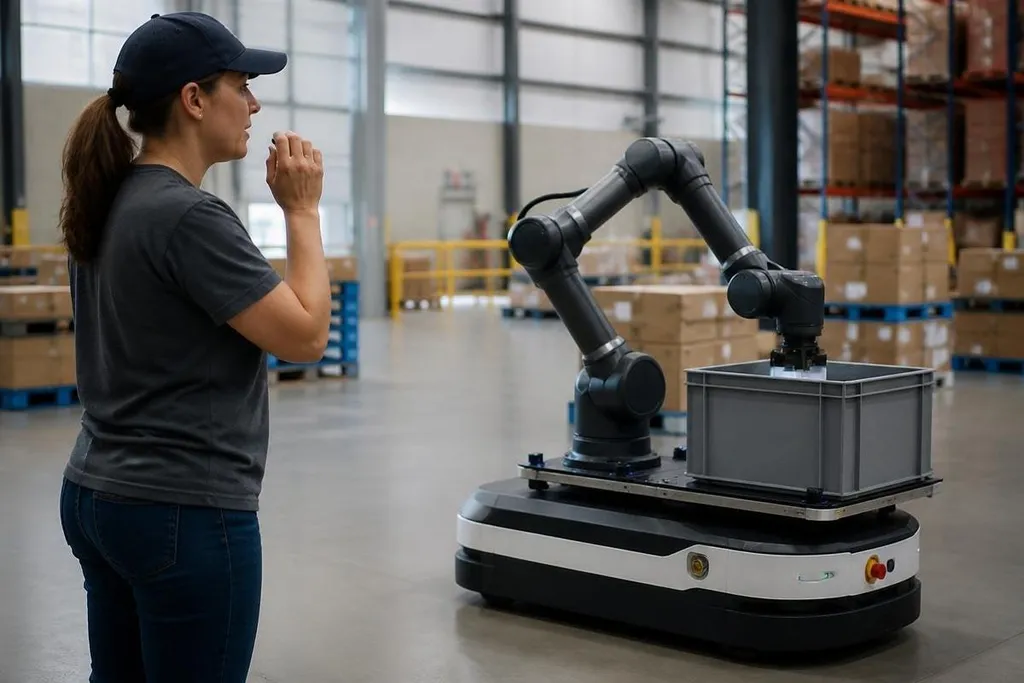
A spoken command can now do more than start or stop a robot. The robot can turn speech into an action, check whether the request fits its task, and ask for more detail when the instruction is unclear.
That shift matters most when people need to work near machines without using a screen or controller.
- Speech becomes text, then an intent
- Context helps the robot resolve unclear commands
- Safety checks still sit between words and movement
From words to robot actions
A voice-controlled robot usually handles several separate jobs. A microphone records speech, a speech-recognition system turns sound into text, and a language system works out the intended action. That system then links the action to a known command, such as moving to a location or picking up an object.
The difficult part comes after transcription. “Move the box” leaves out the box’s location, weight, and destination. A robot with access to its map, camera data, task list, and nearby objects can ask a follow-up question or choose from the objects it can identify.
That process is called grounding. It connects a spoken phrase to something the robot can see, reach, or do. Without grounding, a robot may understand the sentence while still lacking enough information to act safely.
Context makes commands more useful
People rarely speak to robots in full technical instructions. They say, “Take this over there,” then point, look toward a shelf, or refer to an object mentioned earlier. A more capable system keeps track of recent commands and combines speech with other inputs.
Cameras can identify “this,” a map can interpret “over there,” and the task state can show whether the robot is carrying something. Each input fills in part of the request. The result is closer to a short conversation than a list of fixed voice commands.
That does not mean the robot understands language in the human sense. It matches words and context against actions its software already supports. If the request falls outside that set, a good system should say it cannot complete the task rather than inventing a response.
A voice command can name a task, but the robot still needs a rule that allows the motion and stops it when conditions change. Robot24 gives you a place to compare that claim with the named robot, task, and test result. A fluent reply says little until the system shows which actions it may take.
The robot still needs permission to move
Voice control adds a convenient input method, but it does not remove the need for checks. Before moving, the robot may need to confirm that the target is reachable, the route is clear, and the requested action fits its current mode.
A spoken instruction can also be misheard. Background noise, several people speaking, or an unfamiliar accent can change the text produced by speech recognition. It should show or repeat the command when a mistake could cause damage or put someone near a moving arm.
The safest design keeps a clear gap between understanding a request and carrying it out. Low-risk actions can run without delay. Actions involving speed, force, heat, sharp tools, or human proximity need stronger confirmation and limits.
Where the limits remain
Voice systems work best when the robot has a narrow task set and a known environment. A warehouse robot may handle requests tied to its map and inventory system. A home robot faces more variation in objects, room layouts, noise, and everyday language.
Cloud processing can give a system access to larger language models, but it adds a network connection to the task. A lost connection can delay a command or stop speech processing. Local processing can reduce that dependence, though the robot may have less computing power for speech and language work.
The open question is not whether a robot can answer a sentence. It is whether the robot can connect that sentence to the right object and act without creating a new hazard.
A practical check before buying or deploying
Use this checklist when judging a voice-controlled robot:
- Command range: list the actions the software supports today, rather than assuming open-ended speech will work.
- Follow-up questions: check whether the robot asks for missing details before it moves.
- Error handling: test what happens after a misheard command or an impossible request.
- Local operation: find out which voice features work without a network connection.
- Human safety: confirm how the robot limits speed, force, and movement near people.
Voice control is useful when it removes a small control task without hiding the robot’s limits. I'd choose a system that states what it heard, explains what it will do, and stops when the request is unclear. Until those checks work outside a prepared demo, the voice is an interface, not proof that the robot can handle an open-ended job.